KBAA133EA
Model A 13.3-inch Kiosk
Information & interaction13.3 inch · Projected Capacitive
Explore productFamily image. Request confirmed dimensions for KBAA150EA.
Self-Service Kiosks
KBAA150EA
Give visitors a clear starting point for your service. Model A 15-inch Kiosk (KBAA150EA) — display size: 15 inch; resolution: 1920 × 1080 px.
Products are supplied on a quotation basis. Share your required quantity, configuration and delivery location to request a project-specific quote.
View manufacturer specificationsA closer look
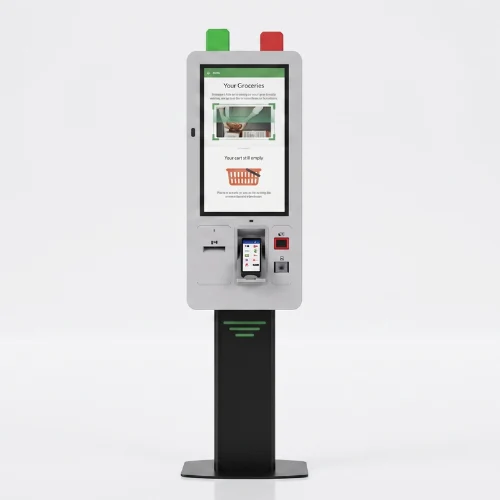
Build the kiosk around a specific task, from finding information to completing a guided service journey. Choose the application first, then match the screen, computer and peripherals to that experience. For this model: display size: 15 inch; resolution: 1920 × 1080 px; touch points: 10 points.
The details that matter
Model KBAA150EA
Manufacturer-published values for this model. Confirm the final specification with your quotation.
| Model code | KBAA150EA |
|---|---|
| Display diagonal | 15 inch |
| Resolution | 1920 × 1080 px |
| Brightness | 450 cd/m² |
| Touch technology | Projected Capacitive |
| Touch points | 10 points |
| Listed interfaces | HDMI, DVI, VGA |
Model KBAA150EA
Manufacturer-published details for this model. Optional configurations remain subject to your quotation.
| LCD Technology | TFT-LCD |
|---|---|
| Resolution | 1920x1080 |
| Active Display Area | 344.232(W)×193.536(H) mm |
| Brightness | 450 cd/m² |
| Contrast Ratio | 800:1 |
| Viewing Angle | 85/85/85/85 |
| Response Time | 25 (Typ, Tr+Td) |
| Touch Technology | Projected Capacitive |
|---|---|
| Touch Points | 10 |
| Interface | HDMI, DVI, VGA |
| Power Supply | AC 100 - 240 V~ (+/- 10 %) 50/60 Hz |
|---|---|
| Power Consumption | 25W |
| Operation | 7/24 Working Conditions |
|---|---|
| Operating Temperature | 0 ~ 50 °C |
| Storage Temperature | - 20 ~ 60 °C |
| Humidity | 10 ~ 80% |
Source checked 2026-10-21. Confirm drawing revision, software licences and the ordered configuration before installation.
Configuration, considered
Start with the user journey, display position and available fixing points. Agree the computer, software, connectivity and any peripherals for the exact installation.
Discuss this configuration| Component | Decision for your project |
|---|---|
| Computer and operating system | Match the application requirements. |
| Peripherals and application | Agree any readers, keyboards or other devices with the application requirements. |
| Mounting and fixing | Confirm the installation drawing and site requirements. |
| Software and licences | Identify the provider, licence and integration scope. |
| Delivery and installation | Agree the destination and responsibilities. |
Model KBAA150EA
Find the details for your specification and installation.
Choose what you need for KBAA150EA. Your model and document type will stay with your request.
Before you specify
This page describes model KBAA150EA, with a 15-inch display. Specifications for other sizes must be checked separately.
The included computer, software and peripherals depend on the quoted configuration. Product imagery does not establish included accessories or tested integrations.
Request a model-specific, approved dimension drawing. The configuration and drawing revision should be confirmed before installation.
Share your quantity, site or postcode, intended use, target timing and any software or peripheral requirements. Delivery, warranty and service scope can then be agreed for the project.
Explore another information & interaction model.
A different customer journey. Review the intended use and configuration.